What Is a Smart Wifi Circuit Breaker and How Does It Work?

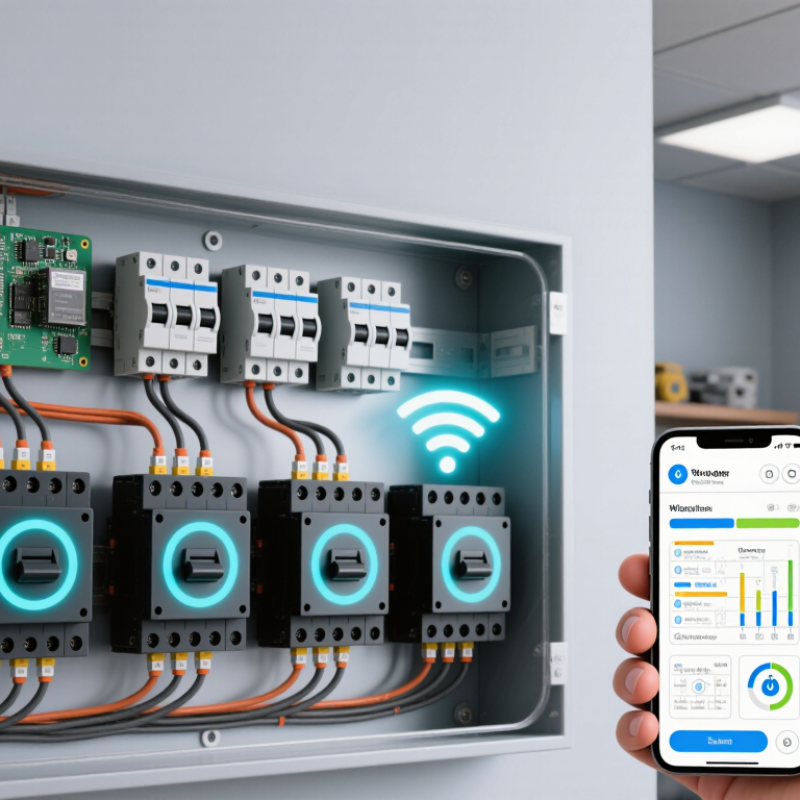
A Smart Wifi Circuit Breaker combines a circuit breaker’s protective role with Wi-Fi-connected monitoring and control. It installs in a compatible electrical panel and connects to a home network. Through a mobile app, users may check circuit status, review energy readings, receive alerts, or switch a supported circuit remotely. Features vary by model.

Inside, current sensors measure electrical use, while an electronic module communicates with the app. A switching mechanism can open or close the circuit when the product supports remote control. Overload and short-circuit protection still depend on the breaker’s rated design. If the Wi-Fi drops, app access may stop, but the breaker’s core protection should continue as specified by its manufacturer. Check the product documentation.

The practical value is easy to picture: an alert could flag unusual power use on a workshop circuit, or an app could show whether a connected load is still drawing electricity. Useful, yes—but not magic. Readings may not explain why consumption changed, and remote control is not a substitute for inspecting a fault. Installation involves a household electrical panel, so compatibility, correct ratings, and qualified professional guidance matter. This guide explains how these breakers communicate, what their features can and cannot do, and what to check before choosing one. Some details are less convenient than the product photos suggest.

What Is a Smart Wifi Circuit Breaker and How Does It Work?

What a Smart WiFi Circuit Breaker Is

A smart WiFi circuit breaker is a panel-mounted electrical breaker with built-in connectivity and monitoring features. Like a standard breaker, it interrupts power when current exceeds its rated limit. The added electronics can send circuit-level readings—such as current, power use, or fault alerts—to an app over a home WiFi network. Some models also allow remote switching or schedules, though features vary. It is not a whole-home energy system by itself. No magic here.

The distinction matters: the protective function and the connected function are related, but not identical. A trip still depends on the breaker’s safety design; an app notification is an extra layer, not a substitute for protection. UNEP and the Global Alliance for Buildings and Construction reported that buildings and construction accounted for 32% of global energy use and 34% of energy-related CO2 emissions in 2023. That broad figure does not mean a smart breaker will deliver a specific household saving. Its practical value is seeing which circuit draws power, or noticing an unusual load while away. One limitation is easy to overlook: WiFi outages can interrupt remote access, even when the breaker itself continues operating. Panel compatibility and installation also need careful checking, preferably by a qualified electrician.

Key Components and Their Functions

A smart Wi-Fi circuit breaker combines a conventional protective switch with sensing and communication electronics. Inside, current sensors monitor the circuit, while a thermal-magnetic or electronic trip mechanism interrupts power during overloads or short circuits. A small controller records measurements and sends them through a wireless radio to an app or home network. No signal? In many designs, local overcurrent protection still works without Wi-Fi.

The components each have a distinct job. Sensors track current and, on some models, voltage or temperature. The controller interprets those readings and may flag unusual use or allow remote switching. The radio carries status updates; the app displays details such as a circuit’s live load. A trip mechanism remains the safety-critical part. It should not depend on an internet connection to respond to a fault. That distinction is easy to miss.

The U.S. Energy Information Administration reported about 1.5 trillion kilowatt-hours of residential electricity sales in 2022, showing why circuit-level visibility can be useful. NIST’s Smart Grid Interoperability Framework also treats communication and cybersecurity as important parts of connected power systems. Still, “smart” can overpromise: readings may be delayed, and wireless coverage can be uneven behind a metal panel. Check the device’s specifications and installation instructions, not just its app features.

How It Detects Electrical Faults

A smart Wi-Fi circuit breaker combines electrical protection with remote monitoring. Sensors measure current and, in some models, temperature or voltage. When current exceeds a safe limit, its trip mechanism opens the circuit. That can stop an overload or short circuit. Models with arc-fault or ground-fault detection look for additional warning patterns. These features vary; Wi-Fi alone does not add them. Not magic.

The National Fire Protection Association’s 2022 report on home fires involving electrical distribution or lighting equipment estimated about 24,000 such fires annually in U.S. homes from 2015 to 2019. They caused an average of 310 civilian deaths and 850 injuries each year. A smart breaker may report unusual readings or a trip to an app, helping occupants notice trouble sooner. But an alert is not a diagnosis, and no connected device prevents every fire. A qualified electrician should investigate repeated trips, warm panels, or a burning smell.

Tips: Check the breaker’s rated protection before installation. Keep the panel cover closed, and never ignore a trip just to restore power. If alerts recur, unplug the affected device and arrange an inspection.

How WiFi Enables Monitoring and Control

A smart WiFi circuit breaker links a home’s electrical panel to a phone or tablet through a wireless network. Sensors inside the breaker track circuit status and, depending on the model, current, voltage, or energy use. The app turns these readings into practical signals: a kitchen circuit has tripped, or a load is drawing power at an unusual time. That is useful. The U.S. Energy Information Administration’s 2023 Form EIA-861 data recorded about 119 million advanced meters nationwide, showing how widespread remote electricity monitoring has become. A WiFi breaker brings similar visibility closer to individual home circuits.

When the breaker sends readings to an app or cloud service, people can check circuit status while away and, on supported models, switch a circuit remotely. The U.S. Census Bureau’s 2023 American Community Survey reported broadband subscriptions in about 90% of U.S. households, but home internet access does not guarantee a strong signal inside a metal electrical panel. Thick walls and panel enclosures can weaken WiFi. But signals fade. If the router disconnects, app updates and remote commands may stop, while the breaker’s built-in protective function should continue locally. Remote control is not a substitute for diagnosing repeated trips or working inside a live panel; a qualified electrician should inspect persistent faults.

How It Interrupts and Restores Power

A smart Wi-Fi circuit breaker combines a physical protective switch with electronic sensing and network communication. When current rises beyond its rated limit, or a short circuit occurs, its trip mechanism opens the circuit. Power stops. Depending on the model, it may also detect ground faults or arc faults. An app can show the affected circuit, report a trip, and sometimes let an authorized user open or reset the breaker remotely.

Restoring power takes care. A reset should follow checks for the cause, such as a hot plug, damaged cord, or overloaded circuit. Some breakers support remote re-energizing; others require a manual reset. Wi-Fi is for monitoring and control, not the core safety mechanism. If the fault remains, restoring power can cause another trip—or leave a hazard overlooked. NFPA’s Home Electrical Fires report estimates that electrical failure or malfunction was involved in an average of 46,700 U.S. home fires annually from 2015 to 2019. A smart breaker cannot prevent every such event, but trip notifications can help people notice trouble sooner. Still, an app alert is not a diagnosis; the cause may be less obvious than the screen suggests.

What Is a Smart WiFi Circuit Breaker and How Does It Work? - How It Interrupts and Restores Power

Aspect How It Works What to Know
Definition A smart WiFi circuit breaker combines a circuit breaker with electronic communication features for monitoring and, on some models, remote switching. Its core safety function is still to interrupt an electrical circuit when a qualifying fault or overload occurs.
Normal operation When the breaker is on and no trip condition is detected, its contacts remain closed, allowing current to flow to the connected circuit. The WiFi connection supports data exchange; it does not carry the circuit’s load current.
Overload protection In common thermal-magnetic designs, sustained excess current heats a bimetal element until it releases the trip mechanism. A magnetic mechanism can respond rapidly to very high fault current. Trip behavior depends on the breaker’s design and rating. WiFi monitoring does not replace the breaker’s protective mechanism.
Other fault protection Some breakers include additional arc-fault or ground-fault detection and trip when the relevant conditions are detected. These features are not present on every smart breaker; check the device specifications and applicable electrical requirements.
Power interruption When tripped, the breaker’s contacts open and stop current from flowing through the protected circuit. A trip can interrupt power even if the WiFi network or app is unavailable.
WiFi monitoring Depending on the model, the breaker can send readings or status information, such as current draw, energy use, or a trip notification, to a connected app or system. Available measurements, alerts, and connectivity requirements vary by model.
Remote switching Some models accept an authorized remote command to open or close the circuit through their control electronics. Remote switching is model-dependent and is not the same as clearing a fault or resetting a tripped breaker.
Restoring power after a trip First identify and address the likely cause. Then reset the breaker using the procedure specified for that model; some devices may also support a safe, permitted remote reset. Do not repeatedly reset a breaker that trips again. A persistent trip may indicate a fault requiring qualified electrical attention.
Installation and safety The breaker must be compatible with the electrical panel, circuit, and local requirements, and installed according to its instructions. Electrical panel work can expose hazardous voltages. Use a qualified electrician where required or if you are not trained to perform the work safely.

Learn More

Connect with us today to learn more about our industrial automation solutions—and how to commission them for your application.