
How to Choose a Power Bank Rental Station in 2026?

Choosing a Power Bank Rental Station in 2026 requires more than checking its charging speed. Location, battery condition, payment security, and return convenience directly affect customer trust. A station beside a café entrance may outperform one hidden near an elevator, even with identical hardware.

Grand View Research valued the global power bank market at approximately $13.31 billion in 2023. It also forecasts strong growth through 2030. Meanwhile, Juniper Research continues to identify mobile charging access as an important convenience service in public venues. These figures show demand, but they do not guarantee a profitable station. Poor maintenance can quickly damage user confidence.

Jitesh Ubrani, research manager at IDC, has offered a useful principle for connected accessories: “Convenience must be measured in the user’s everyday routine.” That idea matters here. Look for visible battery-level indicators, clear rental pricing, contactless payment, and simple return instructions. Ask how often batteries are inspected and replaced. Ask what happens when a device fails.

No station is perfect. Some networks promise broad coverage but provide limited support after midnight. Others offer low prices but use aging batteries. A careful buyer should compare uptime records, warranty terms, charging standards, and local service response. The strongest choice is not always the cheapest one. It is the Power Bank Rental Station that works reliably when a phone reaches five percent.
How to Choose a Power Bank Rental Station in 2026?

What Is a Power Bank Rental Station and How Does It Work?

How to Choose a Power Bank Rental Station in 2026?

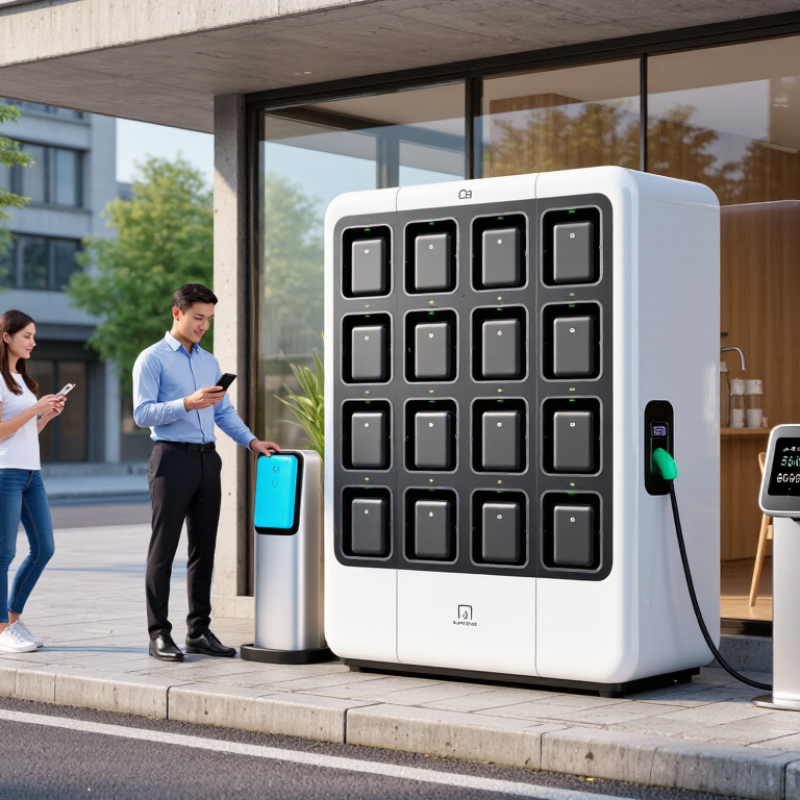
A power bank rental station is a self-service kiosk for temporary battery access. It stores charged power banks in individual slots. Users scan a QR code, confirm payment, and release one unit. The device usually includes built-in cables for common charging ports. Returning it means inserting the power bank into any compatible station. The kiosk records the return automatically.

The need is growing.

Grand View Research valued the global portable power bank market at about USD 13.7 billion in 2023. It also forecasts steady growth through 2030. GSMA’s Mobile Economy 2025 reports 4.7 billion mobile internet users in 2024. More connected users create more moments when a dead battery becomes inconvenient. Sometimes, urgently so.

When choosing a station in 2026, check cable condition, charging speed, rental pricing, and return coverage. A bright screen is not proof of reliable service. Test whether the power bank feels swollen, cracked, or unusually warm. Avoid using damaged equipment. Confirm the station shows the rental timer and return rules clearly. Wide return coverage matters more than a low starting fee. A station near transport, restaurants, or event entrances is usually more practical. However, published availability can mislead when several slots are empty. I would inspect the last-return location before renting, especially during travel. Reports provide useful market direction, but local performance still needs verification.

Which Charging Features and Device Compatibility Should You Check?

A power bank rental station should match your devices before you match its price. Check the available connectors carefully. USB-C is increasingly common, but older phones, tablets, cameras, and earbuds may still require USB-A or Lightning cables. A built-in cable is convenient, although loose connectors can wear out faster in busy locations.

Output power matters more than capacity alone. For a modern phone, look for stable USB-C Power Delivery support and enough wattage for fast charging. Tablets and handheld computers may need higher output. Wireless charging can be useful, but confirm the station supports your device’s charging standard and case thickness. Slow alignment wastes time. It happens often.

Inspect how many devices can charge at once. Some stations advertise several ports, but shared power may reduce charging speed. A clear battery-level display helps you judge whether the rental is worthwhile. I also prefer stations with visible safety information, overheat protection, short-circuit protection, and automatic charging control. These details suggest responsible engineering, not just attractive design.

Device compatibility is more than connector shape. Check voltage requirements, charging protocols, and whether your cable supports data-rated construction. A damaged cable may charge inconsistently or disconnect when your phone moves. Test the connection before walking away. I once assumed a familiar port would work perfectly, but the cable was unreliable. That small mistake left my phone barely charged. Read the rental terms too, especially return locations, operating time, and damage procedures.

How Can You Compare Rental Prices, Deposits, and Payment Options?

Choosing a power bank rental station in 2026 requires more than checking the hourly rate. Compare the full cost for a realistic trip, not the advertised starting price. A station may charge per hour, per day, or in partial time blocks. I check the fee after three hours, overnight, and late returns. Small differences become expensive near airports, malls, and transport hubs. Ask whether the displayed price includes taxes or service charges. Clear pricing matters.

Deposits deserve equal attention. Some stations place a temporary hold on a card, while others request a fixed refundable amount. Check when the hold is released, especially if your bank processes refunds slowly. A low rental fee can still strain a tight travel budget. Read the rules for damaged, lost, or unreturned units before scanning the code. The wording should be easy to understand. If it feels vague, I avoid guessing.

Payment choice affects convenience and privacy. Look for widely accepted cards, secure mobile wallets, or other clearly explained digital methods. Confirm whether a payment account is required before pickup. I also test the return process: the station should show a successful check-in and provide a receipt. Keep that record until the final charge disappears. In my experience, battery condition and cable compatibility can matter more than a small price gap. I once ignored both and regretted it. Compare practical value, not just numbers.

How to Choose a Power Bank Rental Station in 2026? - How Can You Compare Rental Prices, Deposits, and Payment Options?

Comparison Dimension Budget Option Standard Option Premium or High-Traffic Option What to Check Before Renting
Typical rental price US$1–US$3 for the first hour US$3–US$6 for up to 24 hours US$6–US$12 for up to 24 hours Confirm whether the price is charged by the hour, by the day, or in 24-hour billing cycles.
Extended rental cost US$3–US$8 per additional day US$5–US$12 per additional day US$8–US$20 per additional day Look for a maximum daily charge so a short rental does not become unexpectedly expensive.
Security deposit US$0–US$10, often pre-authorized on a payment card US$0–US$30, depending on the payment method and location US$10–US$50, especially where higher-value devices are used Check whether the amount is a temporary authorization or a completed charge, and when it will be released.
Payment options Credit or debit card Credit or debit card, mobile wallet, and QR-code payment Credit or debit card, mobile wallet, QR-code payment, and local digital payment methods Verify accepted card networks, supported wallets, currency conversion fees, and whether cash is accepted.
Payment authorization Usually required before the power bank is released Usually includes rental fee plus a temporary deposit authorization May include a higher temporary authorization for longer or higher-risk rentals Review the authorization amount and the conditions that may convert it into a final charge.
Late-return policy Additional hourly or daily charges may apply Additional rental periods are commonly added automatically Late fees may continue until the device is returned or reported missing Check the exact time at which a new billing period begins and whether reminders are provided.
Lost or unreturned device fee Commonly US$20–US$60 Commonly US$30–US$80 Commonly US$50–US$120 Read the replacement-fee policy and confirm whether the deposit is applied toward that fee.
Charging capacity Approximately 2,000–5,000 mAh Approximately 5,000–10,000 mAh Approximately 10,000 mAh or more Capacity is measured in mAh; actual usable energy is lower because of conversion and charging losses.
Built-in connectors Usually USB-C or a fixed multi-connector cable Usually USB-C plus one or more common device connectors Multiple connectors, including USB-C, with support for a wider range of devices Check connector compatibility with the device being charged and inspect cables for visible damage.
Return flexibility Return may be limited to the original station or network Return is often accepted at multiple nearby stations Return is generally available across a larger station network Confirm the return map before starting the rental, especially near airports, venues, and transport hubs.
Receipt and rental record Email or in-app receipt may be available Digital receipt with rental start, return, and payment details Detailed receipt with deposit status, tax, fees, and refund information Keep the receipt until the deposit is released and the final charge is confirmed.
Refund timing Card authorization may be released within several business days Refund or authorization release commonly depends on the card issuer Some payment providers may take longer to display the released amount The rental operator may release the funds immediately, while the bank can take additional business days to post them.
Best suited for Short emergency charging needs and low-cost use Most travelers, commuters, and event visitors Longer use, frequent charging, and locations with limited charging access Compare the estimated total cost, not only the advertised starting price.
Price ranges are representative consumer-market benchmarks in U.S. dollars for 2026 and can vary by country, taxes, venue, payment method, rental duration, and local operator policy. Always review the final price, deposit terms, return rules, and payment authorization screen before confirming a rental.

What Safety, Hygiene, and Battery Quality Standards Matter?

How to Choose a Power Bank Rental Station in 2026?

A safe rental station should show clear inspection and maintenance practices. Look for a solid enclosure, protected charging ports, and cables without exposed wires. The station should stop charging when a battery overheats or detects a fault. It should also isolate damaged units automatically. A bright screen is not enough. I once trusted a clean-looking station, but its cable felt unusually warm. That small warning deserved more attention.

Battery quality matters beyond advertised capacity. Ask whether the operator tests capacity, charging cycles, and temperature control regularly. Reliable units usually include battery management systems that prevent overcharging, deep discharge, and abnormal current. Documentation referencing standards such as IEC 62133-2 and UN 38.3 can support confidence. Still, paperwork may become outdated. Check the inspection date, not only the certificate label.

Hygiene is easy to overlook. Choose stations with smooth, wipeable surfaces and visible cleaning records. Connectors should be stored inside the unit, away from dust, spilled drinks, and crowded floors. A station near food counters needs more frequent cleaning. Watch for sticky ports, oily cables, or a strong chemical smell. Those details suggest weak maintenance. My own checklist is imperfect, because cleanliness can change within minutes. User feedback and recent condition often reveal more than polished advertising.

How Do You Evaluate Station Location, Availability, and Customer Support?

How to Choose a Power Bank Rental Station in 2026?

Station location should match real movement, not just a busy-looking map. Choose places with long dwell times, such as transit halls, food courts, hospitals, and event entrances. GSMA’s Mobile Economy 2024 reports 4.6 billion mobile internet users worldwide in 2023. That scale makes access important, but demand still changes by hour, weather, and venue type. Check whether the station is visible from the entrance, near seating, and protected from rain. A hidden unit is practically unavailable.

Availability requires more than seeing a station online. Ask whether the app shows live inventory, empty slots, opening hours, and outage notices. Test the map during lunch and late evening. It may look accurate, but I have seen location data lag behind reality. Look for at least two nearby stations before renting. A single unit creates unnecessary risk when every slot is occupied.

Customer support should be measurable. Check for response times, refund procedures, clear pricing, and support in your main language. Salesforce’s State of Service, Sixth Edition, reports that 79% of customers expect consistent interactions across departments. A rental service should therefore provide the same answer through chat, email, and telephone. Save a screenshot of the rental record. Small evidence helps when a return fails. The best support is not merely friendly; it resolves problems without repeated explanations. That matters.

Learn More

Connect with us today to learn more about our industrial automation solutions—and how to commission them for your application.