How to Choose the Best CPU Cooler for Your PC?
Choosing the best CPU Cooler for your PC involves more than comparing fan sizes and price tags. It requires matching cooling performance, processor demands, case space, motherboard support, and daily habits. A cooler that handles a demanding gaming processor may be unnecessary for an office computer. Meanwhile, a small tower case can become noisy when airflow is restricted. Small details matter.
This guide examines air coolers and liquid cooling systems through practical, hardware-focused criteria. It considers CPU power limits, socket compatibility, radiator clearance, RAM height, fan noise, maintenance, and installation difficulty. Manufacturer specifications provide a useful starting point, but they do not tell the entire story. Real temperatures also depend on room heat, case ventilation, thermal paste application, and fan curves. Even an expensive model can perform poorly when installed carelessly.
Reliable recommendations should balance measured performance with long-term usability. A cooler may achieve excellent temperatures, yet create distracting pump noise or block nearby components. Another model may look modest but deliver steady results with fewer failure points. There is no perfect choice for every build. That is worth remembering. This article explains how to compare cooling capacity, acoustics, reliability, compatibility, and value before purchasing. It also highlights common mistakes, including choosing by appearance alone or trusting a single benchmark. Your workload, budget, upgrade plans, and tolerance for noise should guide the final decision. Sometimes, the quietest sensible option is better than the most powerful one.
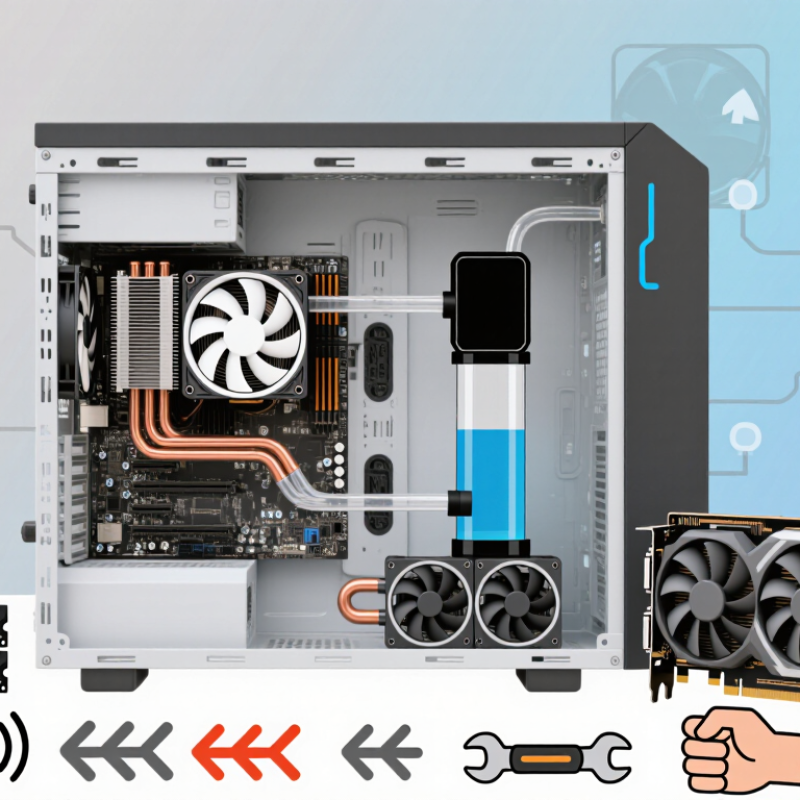
Understanding CPU Cooler Types and Cooling Methods
Choosing the best CPU cooler starts with understanding how cooling methods work. A cooler transfers heat from the processor into a metal base. Heat pipes or liquid then carry it toward fins. Fans move air across those fins and release heat inside the case.
Air coolers use heat pipes, aluminum fins, and one or more fans. They are simple, durable, and easier to maintain.
Liquid coolers move heat through a sealed loop. A pump sends liquid to a radiator, where fans remove the heat. Liquid designs can improve temperatures under heavy workloads, but they add pump noise and another possible failure point.
Low-profile coolers suit compact cases, although their smaller heatsinks may struggle with sustained workloads.
Tips: Check socket support, cooler height, radiator space, and motherboard clearance before buying. Do not trust the advertised heat rating alone. Case airflow matters greatly. A front intake fan and a rear exhaust fan can make a noticeable difference. Set a balanced fan curve, because maximum speed is rarely necessary.
I once chose a cooler by temperature claims alone. That shortcut was wrong. Room temperature, dust, mounting pressure, and processor power settings changed the result. For dependable performance, compare independent testing, installation quality, and noise measurements. A cooler that keeps a processor at safe temperatures quietly may be better than one with lower peak temperatures and constant fan noise. Clearance is easy to overlook. A large tower can block tall memory modules or touch the side panel.
Checking CPU Socket, Case Space, and Hardware Compatibility
How to Choose the Best CPU Cooler for Your PC?
Check the CPU socket before comparing cooling performance. Socket shape, mounting holes, and backplate design must match exactly. A cooler may physically fit the processor but still lack the correct mounting hardware. I learned this after finding a suitable heatsink that blocked the motherboard’s top expansion area. Compatibility lists help, but they can contain omissions. Verify the cooler manual and motherboard layout together.
Case space is equally important. Measure from the motherboard surface to the side panel, not only the advertised internal width. Leave clearance for tall memory modules and motherboard heatsinks. For liquid cooling, confirm radiator length, thickness, and fan position. Front installation can reduce graphics-card clearance. Top installation may collide with memory slots. Small details matter.
The September 2024 Steam Hardware Survey reported that six-core processors represented roughly one-third of surveyed systems. This supports the popularity of mainstream CPUs, but core count alone does not determine cooling needs. Power limits, sustained workloads, and case airflow matter more. Check the processor’s documented thermal power range, then choose a cooler with practical headroom. A 20–30% margin is sensible for quiet operation, although this is not a universal rule. I would also test temperatures for fifteen minutes, not five. Short tests can hide heat buildup.
How to Choose the Best CPU Cooler: Socket Mounting Compatibility
Compare the nominal mounting-hole patterns of common desktop CPU sockets before selecting a cooler. A compatible cooler must support the socket pattern, fit within the case's maximum cooler height, and clear nearby memory and motherboard components.
Dimensions are nominal mounting-hole center-to-center measurements in millimetres. The AM4 and AM5 patterns use the same 90 × 54 mm mounting layout, while LGA1700 uses a wider 78 × 78 mm pattern than older 75 × 75 mm layouts. Always confirm the exact cooler bracket, case height limit, and motherboard clearance before purchase.
Matching Cooling Performance to Your Processor and Workload
Choosing a CPU cooler starts with the processor’s real workload, not its advertised wattage. Thermal Design Power is a planning figure, not a guaranteed peak. A processor rendering video for thirty minutes can produce far more heat than one browsing websites. I learned this after pairing a modest cooler with sustained compilation work. Temperatures rose slowly, then performance dipped.
Check independent power measurements and leave thermal headroom. For example, a cooler rated near 150 watts should not routinely handle a processor measured at 145 watts. That leaves little room for warm rooms, dust, or aging fans. The SPEC CPU 2017 benchmark separates short integer tasks from sustained floating-point workloads, showing why workload duration matters. ASHRAE TC 9.9 recommends 18–27°C for typical air-cooled equipment environments. Your desk may be warmer.
For office work, a compact tower cooler is usually sufficient. Gaming needs stronger burst handling and good case airflow. Rendering, simulation, and code compilation deserve a larger heatsink, more heat pipes, or liquid cooling. Check socket support, cooler height, memory clearance, and mounting pressure. Noise matters too. A cooler can control temperature while sounding unpleasant. My own mistake was trusting peak temperatures alone; average temperature and clock stability revealed the better choice.
Comparing Air Coolers, AIO Liquid Coolers, and Custom Loops
How to Choose the Best CPU Cooler for Your PC?
Air coolers suit most six-core and eight-core systems. They use a heatsink, fan, and no pump. That simplicity usually means easier installation and fewer failure points. The Steam Hardware & Software Survey, December 2024, reported six-core processors as the largest group, at roughly one-third of surveyed systems. For these computers, a well-sized air cooler often handles gaming loads without excessive noise. AIO liquid coolers move heat through a pump, cold plate, tubing, and radiator. They can reduce temperature spikes during long rendering sessions. However, pump noise and eventual pump failure deserve attention. Check radiator clearance before buying. A 240 mm radiator may not fit every compact case.
Custom loops offer the strongest control over CPU temperature and appearance. They also demand planning, bleeding, periodic inspection, and more money. A small fitting problem can spread coolant across expensive components. That risk is manageable, but not imaginary. ASHRAE TC 9.9 guidance places many air-cooled environments near an 18–27°C inlet range. Your room temperature still matters more than many advertisements suggest. My own mistake was choosing a large radiator before measuring the case. The system ran cool, but installation became cramped and frustrating. Choose air cooling for simplicity, AIO cooling for sustained high loads, and a custom loop only when maintenance is part of the hobby.
Evaluating Noise, Reliability, Installation, and Maintenance Needs
Choosing the best CPU cooler involves more than comparing temperature numbers. In daily use, noise often matters more than a two-degree advantage. A cooler with a quiet fan can make evening gaming or video editing far more comfortable. Listen for rattling, clicking, and sudden speed changes. These sounds may reveal poor bearings or aggressive fan control.
Reliability also depends on construction and maintenance. A solid mounting system should feel secure without excessive force. I once installed a cooler with unclear instructions and spent nearly an hour correcting its pressure. That mistake taught me to check socket support before buying. Dust gathers quickly around dense fins, especially in rooms with pets. Removable filters and accessible fan clips make cleaning less frustrating. Liquid systems can perform well, but pumps add another possible failure point. Air cooling is not always cooler, yet it can be easier to inspect and maintain.
Tips: Check clearance around the memory slots and case panel. Read installation steps before opening the box. Choose a cooler rated above your processor’s typical power use. Set a gentle fan curve, then test temperatures under a sustained workload. Clean dust every few months. Do not ignore unusual noise. A slightly warmer system may be preferable if it stays quiet, stable, and simple to service. Personally, I still reconsider oversized coolers; impressive hardware can create unnecessary installation trouble.